Before entering your credentials, check the service, the address, and the official access route. Alice Mail is commonly associated with TIM Mail in Italy, especially for older addresses ending in @alice.it or @tin.it. Start with the official TIM Mail website or support pages, then confirm whether your existing credentials and account type are still supported.
A failed login does not always mean that the mailbox has disappeared. A wrong password, an expired browser session, a blocked account, an unofficial login page, or an incorrect mail-client setting can produce similar symptoms. The safest approach is to compare the exact error with the access method, device, network, and current TIM instructions.
En bref
Service identity: Alice Mail is commonly linked with TIM Mail and legacy @alice.it or @tin.it addresses.
Safest login: Use an official TIM webmail or support page, not an unverified login form.
Mobile access: A mobile browser works without requiring a dedicated app.
Mail clients: Outlook, Apple Mail, Thunderbird, Android, and iPhone require current server settings.
Common failures: Password rejection, blocked access, missing messages, and sending errors require different checks.
Alice Mail Today: Account Access and Service Scope
Alice Mail is best understood as a legacy name connected with TIM Mail, rather than as a separate modern service with its own universally valid login route. Existing @alice.it, @tin.it, and @tim.it addresses may have different support conditions, so the domain and account history matter.
Check the official TIM Mail service information before changing settings or trusting a third-party page. TIM identifies its mail service through its own website and support channels. The visible brand may have changed while an older email address remains active.
Do not treat every page mentioning Alice Mail as an official portal. A search result can lead to an outdated article, a copied form, or a page designed to collect passwords. The domain shown in the browser matters more than the logo shown on the page. Verify the address before entering credentials, especially on a shared computer or an unfamiliar Wi-Fi network.
How Do You Log In to Alice Mail?
The direct route is simple: open the current official TIM Mail access page, enter the complete email address, type the password, and submit the form. A successful login should open the mailbox interface, where folders, contacts, account settings, and message search are available.
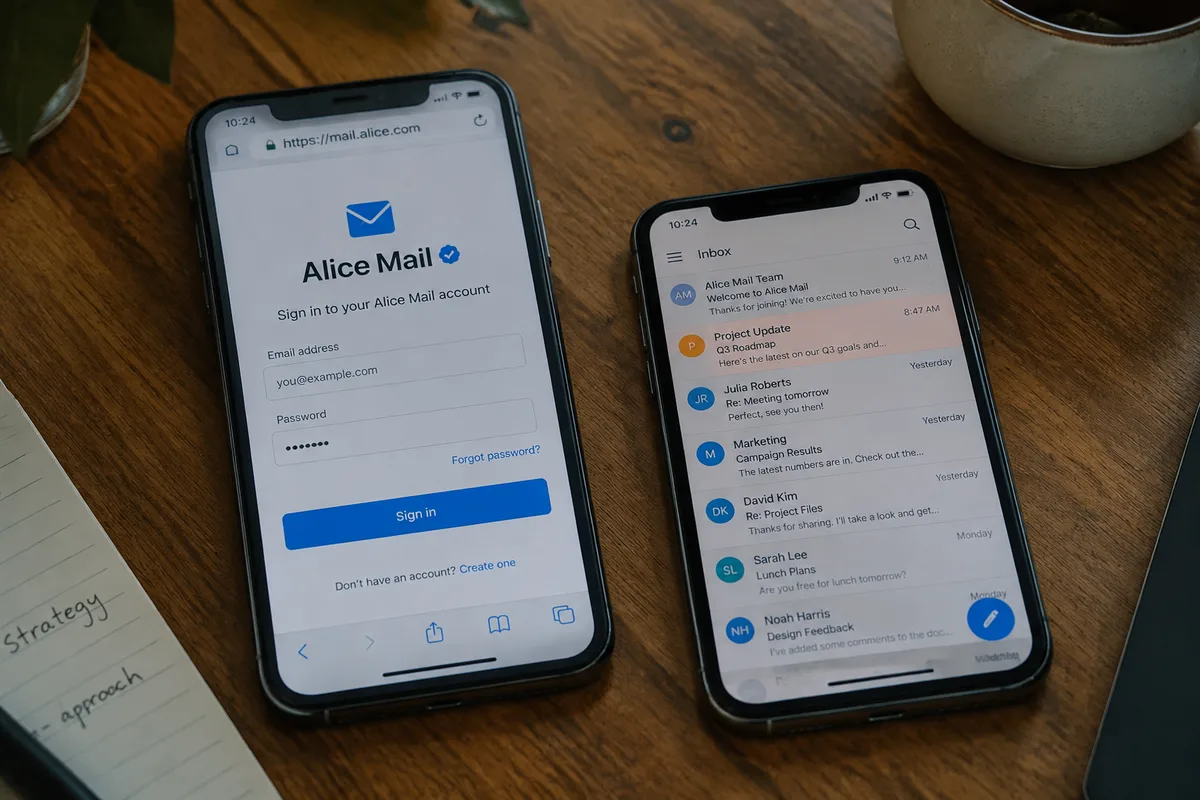
Check that the address is complete. A missing domain can cause an avoidable rejection or send the credentials to the wrong authentication field.
- Open the official TIM website or its documented mail-access page.
- Choose the mail login option rather than a promotional or advertising link.
- Enter the full address, including
@alice.it,@tin.it, or@tim.it. - Type the password manually if autofill may contain an old value.
- Confirm that the inbox loads before closing the browser tab.
Check the address bar after redirection. A padlock alone does not prove that a page belongs to TIM, because encrypted websites can also be fraudulent.
Not every Alice Mail login page is interchangeable. An unofficial form may capture a username and password even when it displays familiar wording. If access fails, stop submitting credentials and use the official recovery path instead.
Check whether the error says that the password is incorrect, the account is temporarily blocked, or the session has expired. Those messages point to different actions. Clear only the affected site’s cookies, reopen the official page, and retry once; repeated guesses can prolong access problems.
If you need a visual sequence for the web login process, the dedicated guide to Alice Mail inbox access can serve as a separate reference.
Alice Mail Mobile Access on Android and iPhone
Mobile browser access is the least risky starting point because it avoids guessing server names and ports. Open the verified TIM Mail page on Android or iPhone, sign in, and save the page as a browser shortcut if regular access is needed.
Check whether notifications are important before moving to a native mail application. Browser access is useful for occasional reading, while a mail app can synchronize messages and alert you when new mail arrives.
- Browser: fewer configuration decisions and immediate access to the web interface.
- Native mail app: background synchronization, notifications, and combined inbox management.
- Third-party app: more control, but greater risk if server or security settings are guessed.
A store listing that uses the words “Alice Mail” is not automatically an official TIM application. Check the publisher, privacy information, permissions, and link to the developer’s official website before installing anything.
Check the account settings on the phone after adding the mailbox. Confirm that the saved email address is correct, synchronization is enabled, attachments are handled as expected, and the app is not silently filtering new messages.
Mobile access can fail when the device clock is wrong, the network blocks the connection, or an old password remains stored. Correct the device time, switch between mobile data and trusted Wi-Fi, then re-enter the credentials through the verified route.
Alice Mail Setup in Outlook, Apple Mail, and Thunderbird
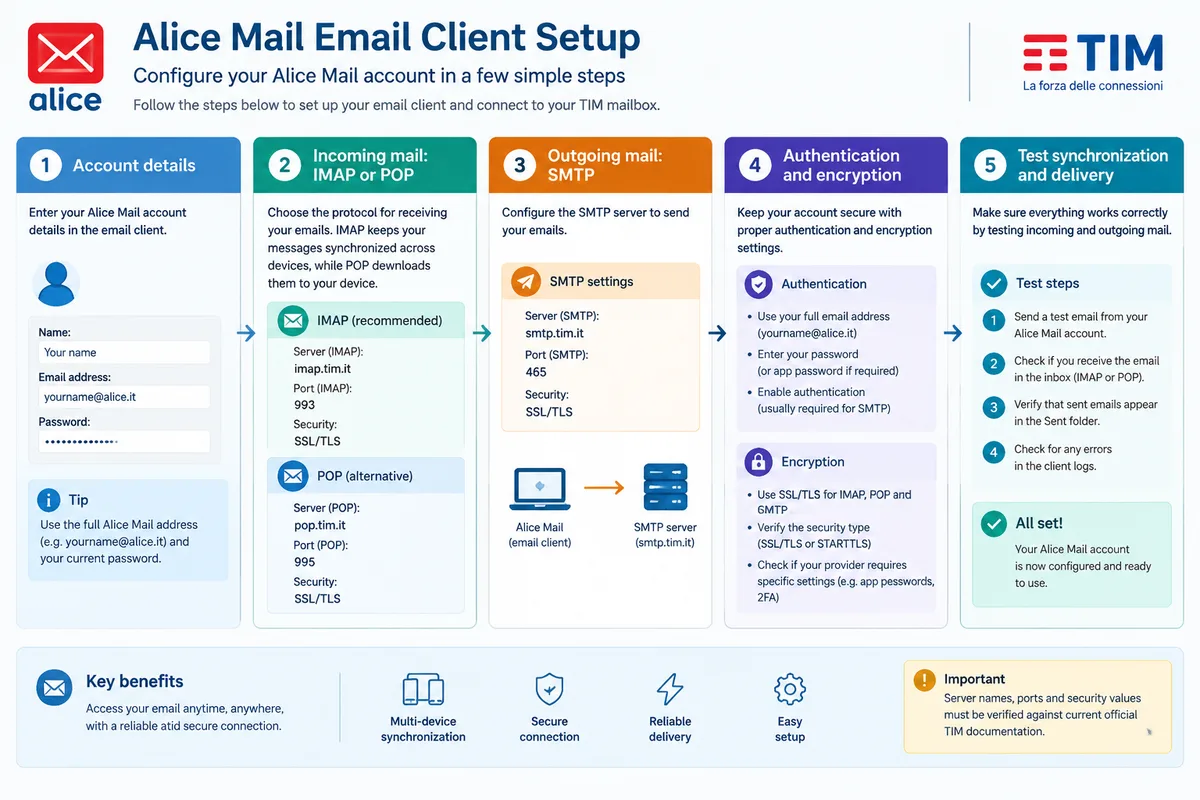
Configuring Alice Mail in Outlook, Apple Mail, Thunderbird, Android, or iPhone requires more than an email address and password. You need the current incoming server, outgoing SMTP server, port numbers, encryption method, and authentication requirement published for your specific account and service version.
Check the official TIM documentation before entering server values. Do not copy a port from an old forum post merely because the domain looks familiar; a correct address with obsolete security settings can still fail.
| Setting | What it controls | What to verify |
|---|---|---|
| Email address | Identifies the mailbox | Use the complete legacy or current domain. |
| Password | Authenticates the account | Confirm it through official recovery if rejected. |
| IMAP | Synchronizes folders across devices | Use the current server name, port, and encryption. |
| POP | Downloads messages to a local client | Check retention and deletion behavior first. |
| SMTP | Sends outgoing messages | Enable authentication if the official settings require it. |
Check the difference between IMAP and POP before choosing one. IMAP is usually the practical choice when the same mailbox must remain aligned across webmail, a phone, and a computer. POP can suit a controlled single-device archive, but local downloading may make later synchronization less predictable.
Incoming mail working does not prove that outgoing mail is configured correctly. SMTP can reject a message when authentication is disabled, the port is wrong, encryption is mismatched, or the account has a sending restriction.
Check one device at a time. Save the existing configuration, change one field, send a test message to yourself, and confirm receipt in webmail before modifying every device.
Why Can’t I Access Alice Mail?
Alice Mail access problems become easier to isolate when the symptom is named precisely: rejected password, forgotten credentials, blank webmail, missing messages, or failed sending and receiving. Each symptom needs a separate check, and repeatedly entering an uncertain password is the wrong first move.
Check the following sequence before contacting support:
- Open the official page in a private browser window.
- Disable a browser extension that may alter forms or scripts.
- Allow necessary cookies and JavaScript for the verified mail domain.
- Test another trusted network without exposing the password.
- Confirm the device date and time are automatic and correct.
- Compare webmail with the mail app to locate the failing layer.
“My password is correct everywhere” can be incomplete. A browser may be submitting an old saved password, while a mail app may be using a separate stored credential. Sign out of other sessions where possible, remove stale entries from the password manager, and type the current password once through the official page.
Check the recovery options displayed by TIM. If the registered phone number or alternative email is unavailable, do not pay an unofficial “support agent” for a shortcut. Recovery may be limited when the provider cannot verify ownership, and only the official support route can state what evidence or procedure remains available.
A blank inbox does not automatically mean that messages were deleted. Search all folders, inspect filters and forwarding rules, and compare the web interface with the local client. A POP configuration may have downloaded messages to one computer, while an IMAP problem may hide folders without removing the server copy.
Check sending and receiving separately. Send a small test message to a different address, then reply from that address and inspect spam folders, delivery notices, and any SMTP error code.
Use official recovery for identity problems and technical checks for device problems. Do not hand over Alice Mail credentials to a person who contacted you through social media, an unsolicited message, or a non-TIM support number.
Account Settings, Password Security, and Ongoing Maintenance
An accessible inbox needs maintenance after the first successful login. Review personal details, recovery options, filters, forwarding rules, signatures, contacts, storage information, and connected applications from the account settings available in the current TIM Mail interface.
Check these items after signing in:
- Recovery phone number and alternative email address.
- Forwarding destinations and automatic filters.
- Unknown devices, applications, or mail clients.
- Signature text and automatic replies.
- Storage warnings, large attachments, and deleted messages.
Use a unique password that is not reused for banking, shopping, or social accounts. Sign out on shared devices, remove an old mail client when it is no longer trusted, and review connected devices after changing the password.
Complete one final test for each access route: open webmail, refresh the mobile inbox, receive a message, send a message, open an attachment safely, and confirm that the recovery details remain available.
Alice Mail is ready for regular use only when the address, official route, device settings, and recovery method all agree. Verify the final cost of any paid support offer before sharing data, and reject unofficial login pages.
Sources to Verify Before Changing Settings
Current service details should come from TIM rather than from an old configuration list. TIM’s official mail service page explains the service scope, while its authentication and support pages are the appropriate places to verify login routes, account recovery, and current technical instructions.
Check the official TIM authentication page for the latest access procedure: TIM Mail account authentication. Use the official support material for server names, ports, encryption, and account-specific limitations because those values can change and should not be reconstructed from memory.
FAQ
Is Alice Mail the same as TIM Mail?
Alice Mail is generally treated as a legacy name associated with TIM Mail in Italy. Older addresses such as @alice.it and @tin.it may still be active, but their access and support conditions depend on the current TIM service and the account history.
How can I access Alice Mail safely?
Use the official TIM website or a TIM-documented mail-access page, check the browser domain before entering credentials, and avoid login forms supplied by unverified websites or unsolicited support contacts.
Can I use Alice Mail on a phone without an app?
Yes. A mobile browser can provide access without installing a dedicated application. Open the verified TIM Mail page, sign in, and optionally save it as a browser shortcut. A native mail app requires the current server and security settings.
What should I do if my Alice Mail password is rejected?
Stop repeated login attempts, reopen the official TIM access page, check that the full email address is correct, and use the official recovery process if the password remains rejected. Do not give the password to unofficial support agents.