1 failed roaming connection usually comes from destination access, account credit, phone settings, network registration, or SIM selection. If Mint Mobile roaming is not working, first identify whether mobile data, calls, SMS, MMS, or every service has failed, then test the least disruptive fix for that symptom.
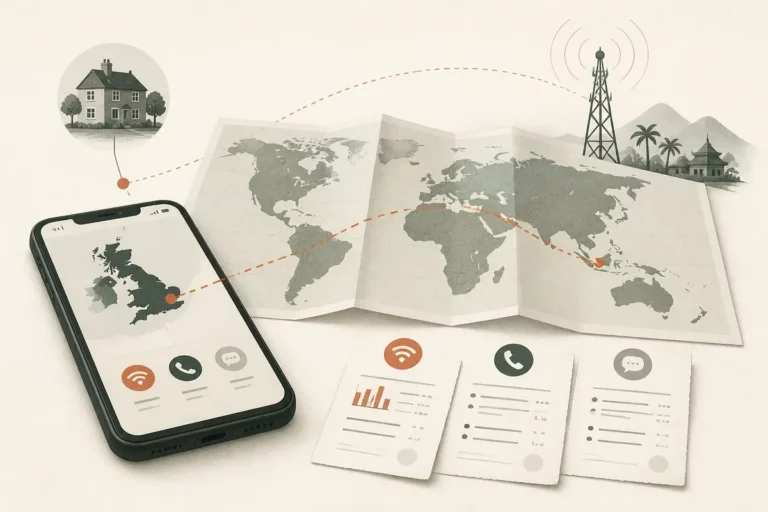
Mint Mobile international roaming is a carrier service that lets an eligible Mint line use participating networks outside the United States. A signal icon alone cannot confirm data authorization, voice access, or an active roaming pass, so repeated calls and data tests may create charges before the real fault is identified.
Quick facts
📶 No Service points first to destination eligibility, account status, SIM activation, or local-network registration.
📱 Signal without internet requires checks for data roaming, the selected data line, roaming credit or pass status, and APN guidance.
🧾 Check current Mint Mobile documentation for destination support, pricing, and pass rules before repeated roaming tests.
Identify the roaming failure before changing settings
However, the fastest Mint Mobile roaming fix starts with the visible phone state and the service that failed. No Service, Emergency Calls Only, a signal with no internet, and registered service that cannot call or message lead to different checks, so changing every setting at once hides useful evidence.
Separate mobile data, voice calls, SMS, and MMS before troubleshooting. A normal text may work while data remains blocked, and MMS or group messaging may require cellular data even when standard SMS succeeds.
Yet a signal indicator only describes network registration or an attempted registration. It does not confirm that Mint has authorized roaming data or outgoing voice service.
Start with reversible checks. Turn off Airplane Mode, restart the phone, briefly disable Wi-Fi, and record the exact network name and status message. Keep testing limited because roaming data and calls may be chargeable under the current Mint Mobile rules.
What each phone status usually means
- No Service: the destination may lack eligible Mint partner access, local registration may have failed, the line may be inactive, or the device may be locked.
- Emergency Calls Only: the phone sees a radio network but has not obtained ordinary service for the Mint line.
- Signal with no internet: prioritize Data Roaming, the selected data SIM, roaming credit or pass status, network selection, and official APN instructions.
- Registered service without calls or messages: check dialing format, supported voice routing, account limits, Wi-Fi Calling, and the difference between SMS and MMS.
Confirm destination support, line status, and roaming funds
But destination eligibility and account provisioning must be confirmed before deeper phone changes. Mint Mobile features, supported services, roaming credit, pass requirements, and international rates can differ by destination and may change, so use the current official Mint Mobile pages or account tools for the country you are visiting.
Check whether the Mint line is active and in good standing. Review the Mint Mobile app or account for available roaming credit or pass status, and consult the current official instructions for any account text command that Mint documents for checking roaming.
Therefore, verify the exact cost before another call or data test. The current charge depends on the destination, service type, plan or pass, and Mint’s applicable terms; no reliable universal price can be stated without checking the live official tariff.
A recent plan renewal, SIM replacement, eSIM activation, number transfer, or account change can also leave provisioning incomplete. Write down when the change occurred and tell support, rather than repeating activation steps that could create a second configuration problem.
Why one service can work while another fails
A local partner can register the phone while Mint data authorization remains unavailable. Standard SMS can work while MMS, group messages, mobile data, or outgoing calls fail through a different routing or authorization path.
Voice failure can also come from the number format. Use the appropriate international dialing format for the destination and review this guide to calling abroad with the correct country code before treating a rejected call as a network fault.
For broader billing context, review how roaming charges work abroad before enabling a fallback line or testing high-volume data.
Check Mint Mobile roaming settings on iPhone and Android
Yet Mint Mobile roaming settings often fail because the line is active while mobile data is assigned elsewhere, Data Roaming is disabled, or the phone has not applied a carrier-settings update. Enable cellular service for the Mint line, confirm the correct data line, and test only after Wi-Fi is turned off.
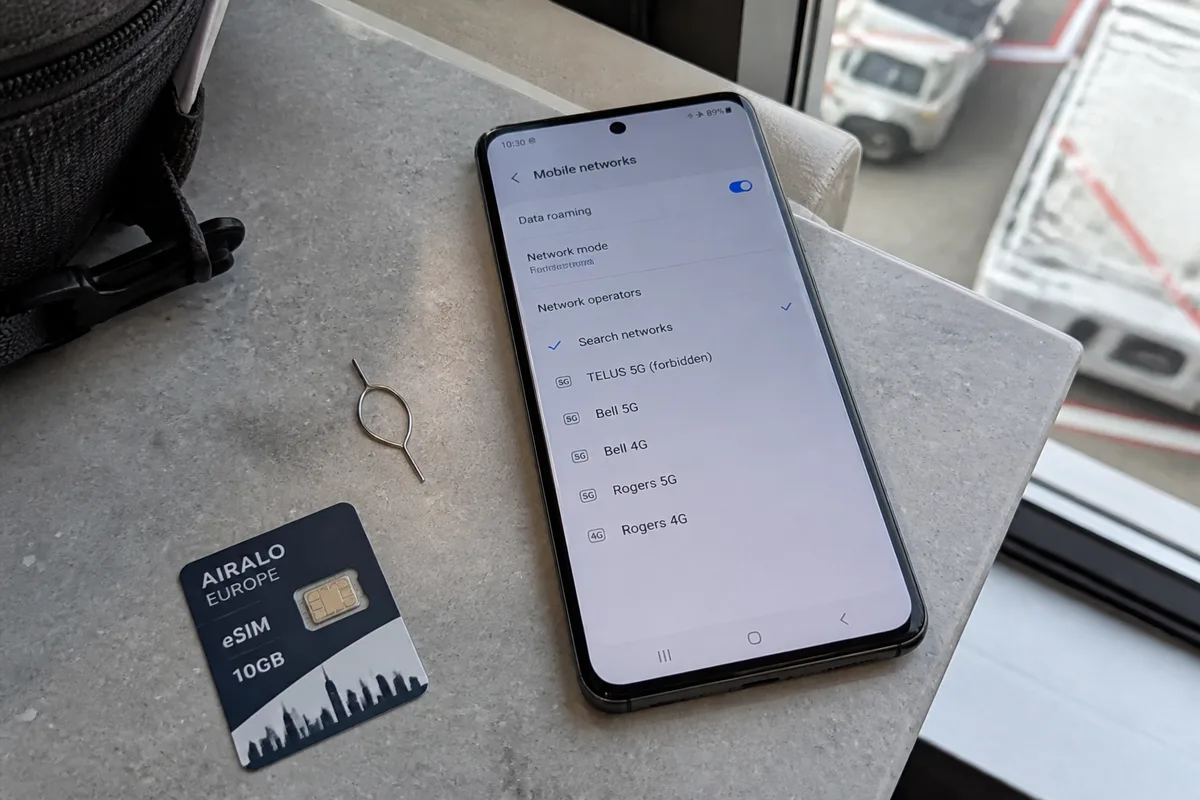
Use automatic network selection first. Install available operating-system or carrier-settings updates, then test a simple webpage, one call, and one SMS separately where those services are relevant.
Therefore, treat a network-settings reset as a late-stage action. The reset removes saved Wi-Fi networks and other network preferences, so it is a poor first move when the fault may be account eligibility or destination support.
Check APN values only against current official Mint Mobile guidance for the exact device. Copying APN values from a forum, another carrier, or an old screenshot can interrupt an otherwise working connection.
iPhone: cellular line, roaming, and Wi-Fi Calling
- Confirm that the Mint SIM or eSIM is turned on.
- Select Mint for Cellular Data on a dual-SIM iPhone.
- Allow Data Roaming for the Mint line.
- Check for an iOS carrier-settings update.
- Keep network selection on Automatic unless a later test requires manual selection.
- If calls or texts fail while data works, review Wi-Fi Calling and test it on reliable Wi-Fi.
Android: mobile data, network mode, and APN caution
- Confirm that the Mint SIM or eSIM is active and assigned as the mobile-data SIM.
- Enable Data Roaming and use automatic network selection.
- Avoid forcing a preferred network type that the local partner cannot accept.
- Compare APN values with current official Mint Mobile instructions for the device model.
A Wi-Fi connection can make messaging appear fixed while cellular roaming remains unavailable. Turn Wi-Fi off for the cellular test, then restore it to avoid unnecessary roaming usage.
Reconnect to an eligible local network and verify the SIM or eSIM
However, automatic network selection can fail after landing, crossing a border, or losing coverage even when the account and phone settings are correct. Search for available networks, try one eligible network once, wait for registration, and test services separately before returning the phone to Automatic.
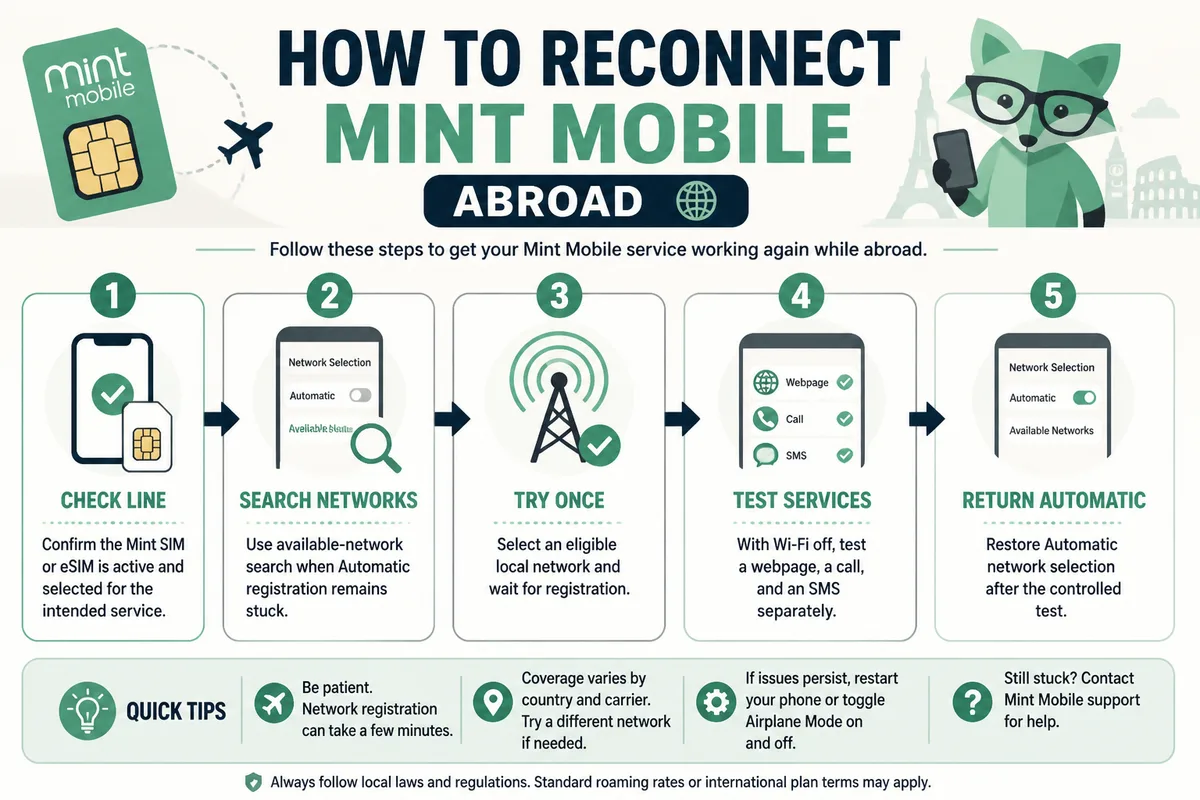
Manual selection is worth trying once for persistent No Service or repeated registration failure. A rejected network may indicate partner eligibility rather than weak signal strength.
But do not repeatedly force a network that rejects registration. Restart after a successful registration if service remains partially unavailable, then check data, voice, SMS, and MMS independently.
When manual network selection is worth trying
-
Open network settings
Search for available mobile networks while the Mint line remains active.
-
Try one eligible network
Select a network identified as eligible by current Mint Mobile information and wait for registration.
-
Test separately
Turn Wi-Fi off, load a simple webpage, place one properly formatted call, and send one SMS.
-
Restore automatic mode
Return to Automatic network selection so the phone can adapt as coverage changes.
Dual-SIM and eSIM conflicts to rule out
A dual-SIM phone can keep Mint active for calls while assigning mobile data to another line, or assign the reverse combination.
Label the lines clearly and verify defaults for mobile data, voice, and SMS before changing roaming settings. A disabled travel eSIM or Mint eSIM can resemble a coverage failure even though the real problem is line selection.
Match the fix to your exact Mint Mobile roaming symptom
Thus, the correct Mint Mobile roaming fix depends on the failed service, not on the presence of a signal icon. Test cellular registration with separate actions: load a page without Wi-Fi, place a call in the correct format, send an SMS, and send an MMS only after mobile data works.
| Visible symptom | Priority checks | Safe next action | Charge warning |
|---|---|---|---|
| No Service or Emergency Calls Only | Destination eligibility, active account, restart, SIM or eSIM status, network selection, device unlock | Try Automatic, then one eligible manual network; save the exact error | Do not repeat calls while registration is rejected |
| Signal with no internet | Data Roaming, selected data line, roaming credit or pass, network mode, official APN guidance | Turn Wi-Fi off and test one small webpage | Data testing can consume roaming credit or create charges |
| Calls fail abroad | Incoming or outgoing direction, dialing format, voice support, account status, Wi-Fi Calling | Test one correctly formatted call or supported Wi-Fi Calling | International voice charges may apply |
| SMS works but MMS fails | Mobile data, MMS routing, group-message behavior, selected data line | Restore cellular data, then send one small MMS | MMS testing may use roaming data |
Yet a successful SMS does not confirm that Mint Mobile international data or voice is available. The transport and authorization requirements differ, especially for MMS and group messages.
No Service or Emergency Calls Only
Prioritize official destination eligibility, active account status, Airplane Mode, a restart, Automatic network selection, one manual network test, active SIM or eSIM status, and carrier-unlock status. If every available network rejects registration, keep the error message for support.
Do not change APN values for a phone that has no network registration. APN settings affect data sessions after registration, so they are the wrong first target here.
Mint Mobile international data not working
Check Data Roaming, the selected mobile-data line, roaming credit or pass status, local-network registration, network mode, and official APN guidance. Turn Wi-Fi off before testing so a saved hotspot cannot disguise a failed cellular connection.
Random APN profiles are a bad shortcut. Use only current device-specific instructions from Mint Mobile.
Calls or SMS do not work abroad
Check whether the failure affects incoming calls, outgoing calls, or both, then verify registration, number format, account status, and supported Wi-Fi Calling. Ordinary SMS, MMS, and group messages should be tested as separate services.
A trusted Wi-Fi calling or messaging method can provide temporary communication when supported. It does not restore Mint cellular roaming.
Escalate with the right evidence and keep a backup connection
Or official Mint Mobile support can act faster when the report includes the destination, city, device model, operating-system version, Mint line type, SIM or eSIM status, visible network name, exact error, affected services, and every completed test. Ask support to verify destination eligibility, provisioning, roaming credit or pass status, and partner-network access.
Prepare the evidence before contacting support:
- Country and city where the failure occurs.
- Phone model and operating-system version.
- Physical SIM or eSIM status.
- Visible network name and status message.
- Whether data, calls, SMS, MMS, or multiple services fail.
- Account, roaming credit, or pass information visible in official Mint tools.
- Restart, setting, network-selection, and test results already completed.
Therefore, ask for the applicable international charge before further calls or data testing. A local SIM or travel eSIM is an independent fallback, not an official Mint Mobile repair, and it requires an unlocked phone plus deliberate control of the line used for data, calls, and texts.
When a local SIM or travel eSIM is the practical fallback
Use a local SIM or travel eSIM when reliable connectivity is urgent and official troubleshooting cannot be completed promptly.
Keep Mint active only for services you intend to use. Set the fallback line deliberately for mobile data to avoid unintended Mint roaming use.
Local data access does not automatically restore Mint calls or SMS. Device unlock status and dual-SIM defaults must be checked first.
The quickest route is to isolate the failed service, verify destination and account eligibility, test settings and registration, then contact official support before calling again if the connection still fails.
Remember this
- 📍 Confirm the destination and service type before changing phone settings.
- 🔎 Separate data, voice, SMS, and MMS failures.
- 📡 Check Data Roaming, the selected SIM, and network registration.
- 🧾 Verify roaming credit, pass status, and current charges through Mint Mobile.
- 🛟 Use a local SIM or travel eSIM only as an unlocked-device fallback.
Frequently Asked Questions
And these five questions cover the points that most often remain unclear after a roaming test. Current Mint Mobile documentation controls destination availability, pricing, pass requirements, and supported features, while device settings determine how the eligible service is used.
Does Mint Mobile international roaming work automatically?
Automatic operation requires a supported destination, an eligible active account, available roaming funds or a required pass, and correctly configured device settings. A phone can register locally while data or voice authorization remains unavailable.
Why does Mint Mobile show signal but no internet abroad?
Network registration does not authorize mobile data by itself. Check Data Roaming, the selected data line, roaming credit or pass status, local-network selection, and current official APN guidance with Wi-Fi disabled.
Can I use Wi-Fi Calling if Mint Mobile roaming fails?
Wi-Fi Calling can support compatible calls and texts over reliable Wi-Fi when the feature is configured and supported. Wi-Fi Calling does not repair cellular roaming access or prove that the local mobile network is available.
Should I use a local SIM or travel eSIM instead?
A local SIM or travel eSIM can serve as an independent fallback when connectivity is urgent. The phone must be unlocked, and dual-SIM settings must deliberately assign the fallback line for data, calls, and messages.
What information should I give Mint Mobile support?
Send the destination and city, phone model, operating system, SIM or eSIM details, visible network, account or pass status, exact errors, affected services, and completed troubleshooting steps. Include the time of any recent renewal, SIM swap, eSIM activation, or account change.