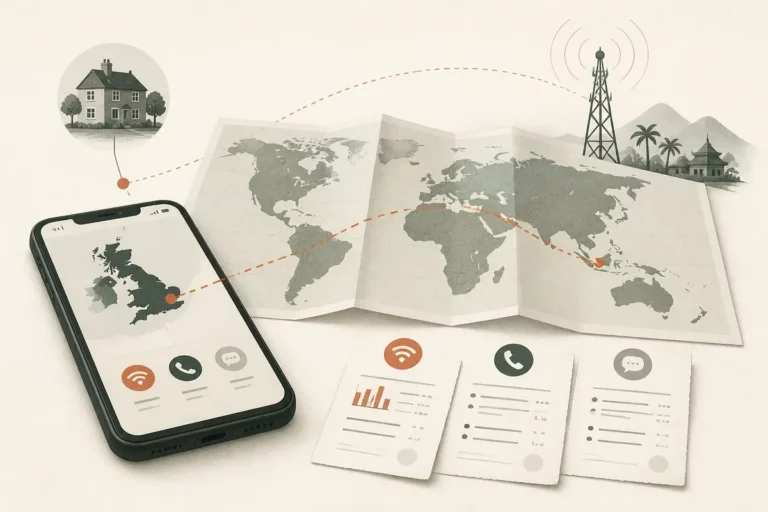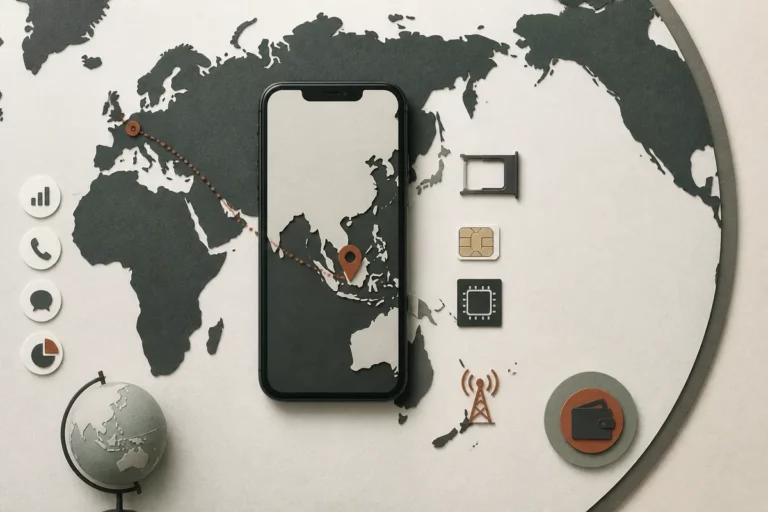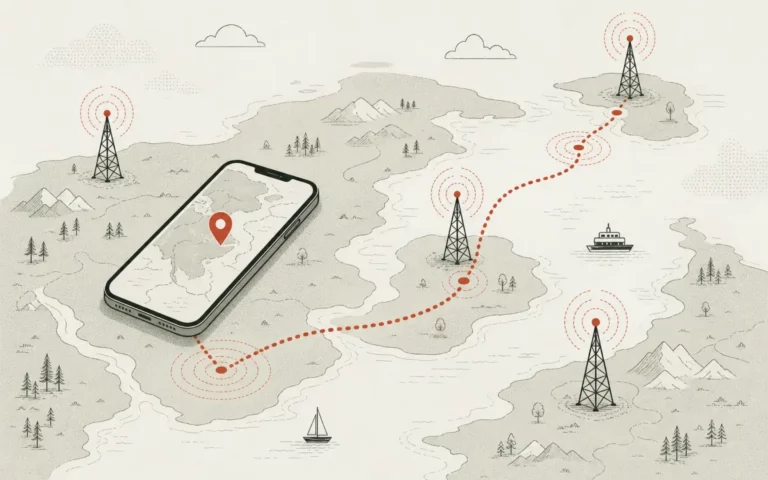
Before a 2026 trip, contact your mobile carrier and ask it to activate international roaming or a travel option for your destination. Confirm that your phone, account, SIM or eSIM, and selected services are eligible, then enable Data Roaming only on the line intended for mobile data abroad.
International roaming is a carrier service that lets your phone register on a partner network outside your home country. The phone setting controls data use; it does not independently authorize your account, guarantee coverage, or reveal the final tariff for calls, texts, voicemail, and mobile data.
Quick Check
📱 Carrier activation and Data Roaming are separate checks. Complete both before leaving home.
🌍 Destination, device, SIM, and plan eligibility determine whether calls, texts, and data work abroad.
💳 Prices are carrier-specific and time-sensitive. Confirm the current tariff, allowance, expiry, and overage rules directly with your provider.
🛑 Stop uncontrolled data use by limiting background activity, automatic downloads, and data switching between SIMs.
What International Roaming Requires Before You Leave
Before departure, international roaming requires two approvals: your carrier must permit the account to use foreign partner networks, and your phone must allow the chosen line to use mobile data while roaming. Those approvals involve different controls, so changing one setting alone cannot reliably activate the service.
Therefore, international calling from your home country follows a different route. A domestic call to a foreign number uses an international dialing tariff, while roaming begins when your mobile line registers abroad.
The carrier controls account authorization, destination coverage, partner networks, and plan eligibility. The handset controls the selected data line and whether that line may use mobile data outside its home network.
Calls, SMS, MMS, voicemail, and data can have separate eligibility or billing rules. A phone that supports voice abroad may still lack mobile data or text support on a particular partner network.
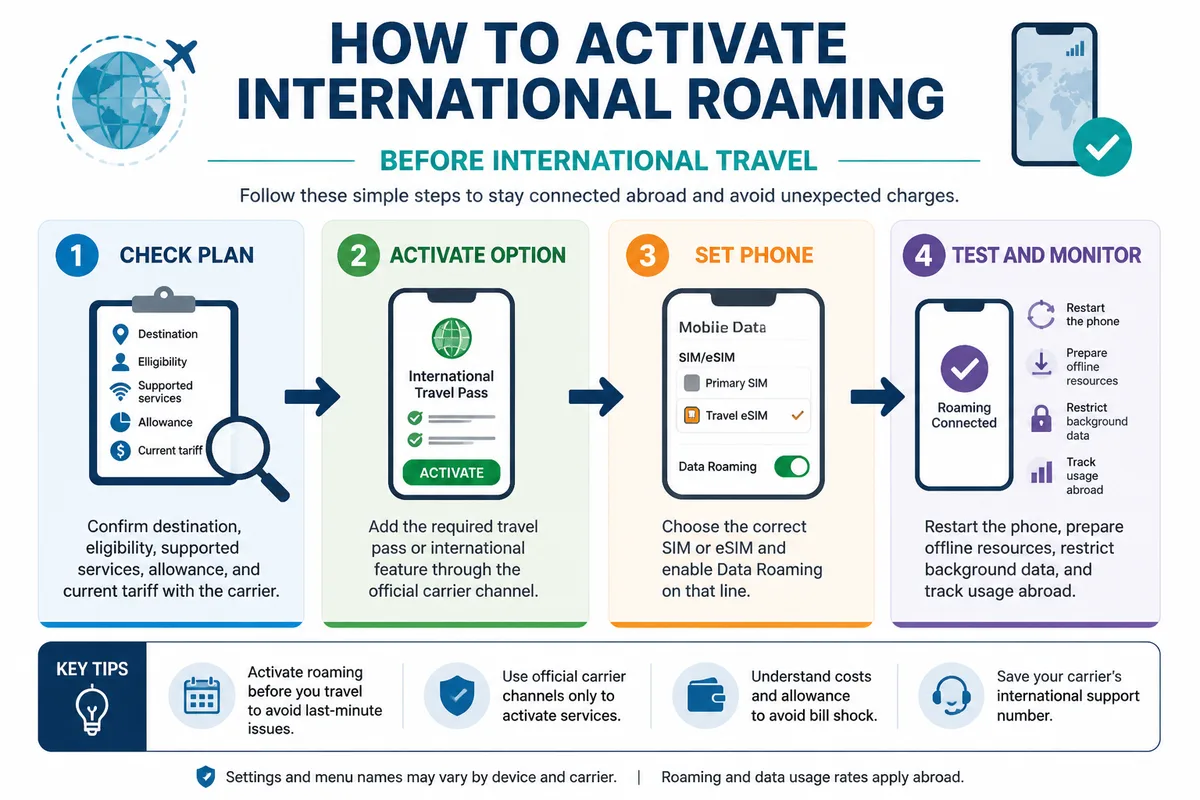
The recommended order is simple: verify the plan, activate the travel option, configure the phone, then test and monitor usage.
Check Your Plan, Destination, and Roaming Costs
Before travel, check the carrier application, account portal, or official destination coverage page for the exact country and line you will use. Confirm eligibility, supported services, current tariffs, allowance, validity, renewal terms, and overage rules before approving any option.
| Option | What it normally provides | What to verify | Cost-control risk |
|---|---|---|---|
| Standard roaming | Use of eligible foreign partner networks under the existing account | Destination, voice, SMS, data, and pay-as-you-go tariffs | Usage-based charges can rise quickly when data or calls are uncontrolled |
| Travel pass | A defined allowance for a stated travel period | Start date, expiry, speed limits, renewal, and post-allowance rules | Automatic renewal or an expired pass can change the final bill |
| Temporary add-on | An extra international allowance attached to the home line | Eligible destinations, trip length, activation timing, and cancellation terms | The add-on may cover data while calls or texts remain separately priced |
| Local SIM or travel eSIM | A separate local or travel data connection | Phone unlocking, network bands, validity, tethering, and identity requirements | The home line may still create roaming charges if selected for data |
| Wi-Fi | Internet access through a local wireless network | Network charges, security, calling rules, and reliability | Wi-Fi access is not automatically free or suitable for every service |
Choose a travel pass or temporary add-on when the carrier gives you a clear allowance and expiry date for the trip. Choose pay-as-you-go roaming only after reading the exact rates and applying strict data controls.
A local SIM or travel eSIM can separate travel data from the home line, but it is not guaranteed to cost less. The phone must be unlocked, compatible with the destination network, and configured so the intended SIM supplies data.
Therefore, save the carrier’s official support page and account details offline. Record any spending cap, usage alert, or data-blocking setting shown in the account.
International roaming tariffs are carrier-specific; confirm the current amount on the provider’s official page before purchase.
For a deeper explanation of billing routes, see how roaming charges work before choosing a plan.
Choose Between a Travel Pass, Add-On, or Pay-as-You-Go Rates
Or compare the option against the trip’s actual duration and data need. A pass suits a defined travel window, an add-on suits a known allowance, and pay-as-you-go rates require the strongest monitoring.
Check whether the selected option begins immediately, on a chosen date, or at first use abroad. Verify whether unused data expires and whether the option renews automatically.
Check What Is Covered Separately
Yet voice calls, incoming calls, outgoing calls, SMS, MMS, voicemail, and mobile data may be listed under separate rules. Read each service line in the carrier’s current terms.
Wi-Fi calling and app-based calling do not automatically follow ordinary roaming rules. The provider may apply separate conditions for Wi-Fi calling outside the home country.
Activate International Roaming With Your Carrier
Activate the required roaming feature through the official carrier application, website, or support channel, using the exact destination and travel period. Keep the confirmation until the final bill arrives because activation status and later charges may need to be checked together.
-
Open the official carrier channel
Sign in through the provider’s application or website, or use support details published by the carrier. Avoid activation links received through unexpected messages.
-
Select the destination and option
Choose the country, travel pass, international add-on, or standard roaming feature that matches the line and travel dates.
-
Review the terms
Check the allowance, start date, expiry date, price, renewal condition, supported services, speed limits, and charges after the allowance ends.
-
Save the confirmation
Store the confirmation screen, message, or account reference offline. Do not treat a payment screen as proof that roaming is active.
-
Confirm account activation
Check the carrier dashboard or ask support to confirm account-level roaming, destination eligibility, and any required restart or network-registration action.
Therefore, contact support when the account has a roaming block, the destination is unclear, the line is prepaid or business-managed, or self-service activation fails.
Eligibility can also be affected by an unpaid account, a restricted line, an incompatible device, or an employer-controlled plan. Ask the carrier to identify the precise block rather than repeatedly changing phone settings.
Activate a Travel Pass or International Data Plan
Choose the correct destination and travel period first. Then read whether the pass begins at purchase, on a selected date, or when the phone first uses a foreign network.
Automatic renewal deserves a separate check. A pass that remains active after the trip can create a new charge under its published terms.
When to Contact Carrier Support
Contact official support when the account cannot activate roaming, the country does not appear in the destination list, or the line has an account restriction.
Ask support to confirm the account status in writing or through a reference number. Keep that confirmation with the travel documents.
Turn On Data Roaming on iPhone or Android
After carrier eligibility is confirmed, turn on Data Roaming only for the SIM or eSIM intended to provide mobile data abroad. Menu names differ by operating system, manufacturer, and dual-SIM configuration, so the selected data line matters as much as the toggle.
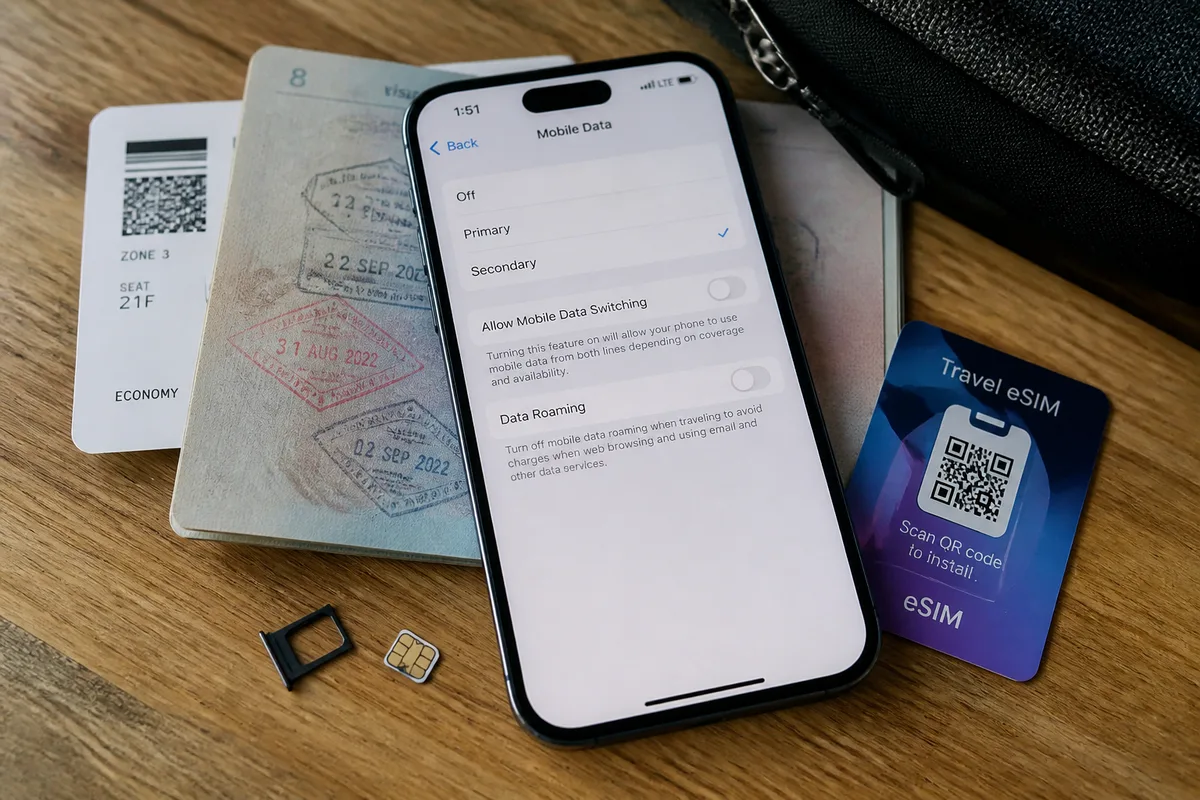
Yet automatic network selection should remain enabled unless the carrier identifies a supported partner network for manual selection. Confirm which line handles data, calls, and authentication texts before leaving Wi-Fi.
How to Activate Roaming on iPhone
On an iPhone with one SIM or eSIM, open Settings, select Cellular or Mobile Service, choose the travel line, and open Cellular Data Options or Mobile Data Options.
-
Select the travel line
Open the line that should provide mobile data abroad. Do not change the home line by mistake on a dual-SIM iPhone.
-
Enable Data Roaming
Turn on Data Roaming when the international plan requires it. Apple’s current support instructions should take priority if the menu wording differs.
-
Check cellular data selection
Verify the selected Cellular Data line and review Allow Cellular Data Switching. Turn off automatic switching when it could move data to a higher-cost home line.
Apple documents the iPhone and iPad cellular-data roaming settings in its official support guidance. Device menus can change with software versions.
How to Activate Roaming on Android
On Android, open Settings and look for Network & Internet, Connections, SIMs, or Mobile Networks. The exact route depends on the manufacturer and Android version.
-
Open SIM or mobile-network settings
Choose the SIM or eSIM intended for travel data. Check the label carefully if two lines are installed.
-
Enable Data Roaming
Turn on Roaming or Data Roaming for the selected line after confirming the carrier feature is active.
-
Confirm network selection
Set mobile-network selection to automatic unless the carrier names a compatible partner network for manual use.
Therefore, use the device manufacturer’s instructions when the setting is missing. Do not change APN values without guidance from the carrier or eSIM provider.
Set Up a Travel eSIM or Dual-SIM Phone
Install the travel eSIM according to its provider’s instructions before departure when possible. Assign the travel eSIM to mobile data and keep the home line active only when its roaming terms are understood.
Disable automatic data switching when the phone might move traffic to the home line. Retain the home line if banking, airline, or account verification messages depend on it.
Test the Setup and Limit Mobile Data Abroad
After activation, restart the phone, verify the selected data line, and prepare essential travel resources over Wi-Fi. A home test cannot prove foreign-network roaming, so carrier confirmation and destination coverage remain the decisive checks.
Download maps, tickets, translation resources, and travel documents before departure. Restrict cloud-photo uploads, application updates, video streaming, backups, and automatic downloads while using mobile data abroad.
Therefore, activate device-level data warnings or limits where available. Compare the phone’s usage counter with carrier alerts because the two records may update at different times.
- Review background-data permissions for high-use applications.
- Use Wi-Fi for large downloads and operating-system updates.
- Keep carrier usage notifications enabled.
- Check whether tethering is included or separately restricted.
Do not disable every connection without a replacement plan.
Emergency access and authentication messages may require the home line or a local connection. Keep the line needed for urgent calls and verification available, then control its data use separately.
Prevent Background Data From Consuming Your Allowance
Or review background refresh, automatic downloads, photo synchronization, and application updates before leaving Wi-Fi. These processes can use mobile data without an obvious action on the screen.
Carrier alerts are practical warnings, not decorative messages. Pause roaming data when an alert conflicts with the allowance or dates shown in the active plan.
Manage Calls, Texts, and Verification Messages
Check incoming and outgoing call tariffs separately from data. Incoming calls, voicemail, SMS, MMS, and app messages may follow different conditions.
Use messaging applications over trusted Wi-Fi when appropriate, while preserving access to banking, airline, and account verification messages. Read the provider’s Wi-Fi calling rules before relying on that feature abroad.
Fix International Roaming When It Is Not Working
When roaming fails, troubleshoot in sequence: confirm account activation, disable airplane mode, restart the phone, select the intended SIM or eSIM, check Data Roaming, and verify destination coverage and remaining allowance.
-
Confirm account activation
Open the carrier dashboard or contact official support to confirm that the destination and line are eligible.
-
Refresh registration
Turn airplane mode off, restart the phone, and allow the device time to register on a partner network.
-
Check the selected line
Confirm that the intended SIM or eSIM supplies mobile data and that Data Roaming is enabled on that line.
-
Review coverage and allowance
Check the carrier’s destination page, remaining data, plan dates, and any service restriction.
-
Escalate with evidence
Contact the carrier with the destination, device model, selected line, error message, and activation reference.
No Signal or No Network Service
Yet a missing signal does not identify the cause by itself. Confirm activation, check that airplane mode is off, restart the phone, and try another location before selecting a network manually.
Use manual network selection only when the carrier identifies compatible partners. A device may lack the required bands, roaming support, or voice technology for the destination.
Calls Work but Mobile Data Does Not
Confirm Data Roaming on the correct line, the preferred mobile-data SIM, and the remaining allowance. Voice registration and data registration can follow separate rules.
Restart after changing the line or network setting. Verify APN or network-profile details only through official carrier or eSIM-provider guidance.
Charges Are Higher Than Expected
Stop mobile data roaming temporarily, compare carrier usage records with the active plan’s dates and allowance, and request an itemized explanation through an official channel.
Check whether the wrong SIM supplied data, the pass expired, the option failed to activate, or background activity consumed the allowance.
The FCC’s international roaming guide, reviewed on November 25, 2025, warns that charges may appear on a bill during one additional billing cycle after the traveler returns. Treat the final statement as provisional until that billing window has passed.
Frequently Asked Questions About International Roaming
Or the correct answer depends on the carrier, destination, plan, device, and SIM configuration. The checks below separate account activation from handset settings.
Do I need to activate international roaming with my carrier and on my phone?
Yes, in many setups you must confirm carrier authorization and enable Data Roaming on the intended data line. The carrier permits foreign-network access; the phone setting permits mobile data use.
How do I activate roaming on an iPhone or Android phone?
On iPhone, open Settings, Cellular or Mobile Service, select the travel line, and enable Data Roaming in Cellular Data Options. On Android, open the mobile-network or SIM settings, select the travel line, and enable Roaming or Data Roaming.
Will turning on Data Roaming create charges?
Turning on the setting allows mobile data to use a foreign network when the carrier permits it. Charges depend on the active plan, destination, usage, allowance, and tariff; confirm those terms before enabling the setting.
Can I use a travel eSIM and keep my home number active?
Usually, a compatible dual-SIM phone can assign the travel eSIM to mobile data while keeping the home line available. Turn off automatic data switching and check the home line’s roaming terms before using it for calls or messages.
Why is international roaming not working even though Data Roaming is on?
Data Roaming cannot correct an inactive carrier feature, unsupported destination, blocked account, incompatible device, wrong SIM selection, exhausted allowance, or missing partner coverage. Recheck those items in order, then contact the carrier with the activation reference.
Switch Back to Your Home Setup After the Trip
After returning home, select the home SIM or eSIM as the preferred mobile-data line and disable Data Roaming on travel lines that no longer need it. Review the travel eSIM before removing it if its validity or stored data remains useful.
Check the final carrier statement and usage history for delayed roaming charges, pass renewals, or activity that does not match the confirmed terms.
Therefore, retain activation messages, usage records, and support references before disputing a charge. A clear record makes the billing route easier to reconstruct.
Travel Essentials
- ✅ Confirm carrier authorization, destination coverage, device compatibility, and current tariffs before departure.
- 📶 Enable Data Roaming only on the SIM or eSIM selected for mobile data.
- 💰 Check calls, texts, voicemail, data, renewal, overage, and expiry rules separately.
- 🔒 Restrict automatic downloads, background data, and automatic line switching abroad.
- 🧾 Review carrier usage and the final statement, including the billing cycle after returning home.